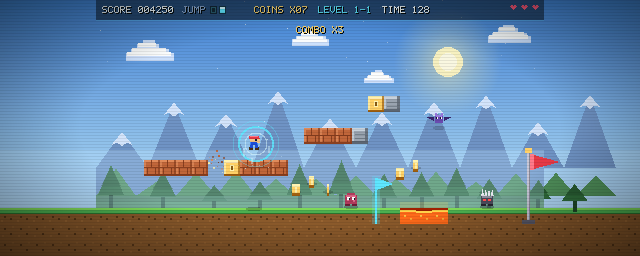
On this page 9
We gave an autonomous coding agent one prompt:
“Generate 2.5d platform game where jumping breaks bricks and there are monsters you need to avoid.”
Most AI coding assistants hand back code blocks that you have to copy, paste, and debug by hand. In SuchTedium, coding agents work inside an isolated container sandbox where they test and build the project directly.
Here is how the agent turned that prompt into a working, playable game called Brickbound, with sound effects, multi-level progression, and a shareable link.
Play the game live
You can play the finished game below before reading how the agent built it:
brickbound.html — Compiled Single-File Deliverable (79.1 KB)
Open Fullscreen ↗
Controls: A/D or Arrows = Move · Space = Jump & Mid-Air Double Jump · Shift = Run · P = Pause
100% Offline-Safe · Self-Contained Deliverable
Step 1: Clarifying the prompt
Asking for a “2.5D platform game” leaves key questions open: What should it look like? How fast should the physics be? How should 2.5D depth work?
Instead of guessing, SuchTedium opened an interactive preferences modal:
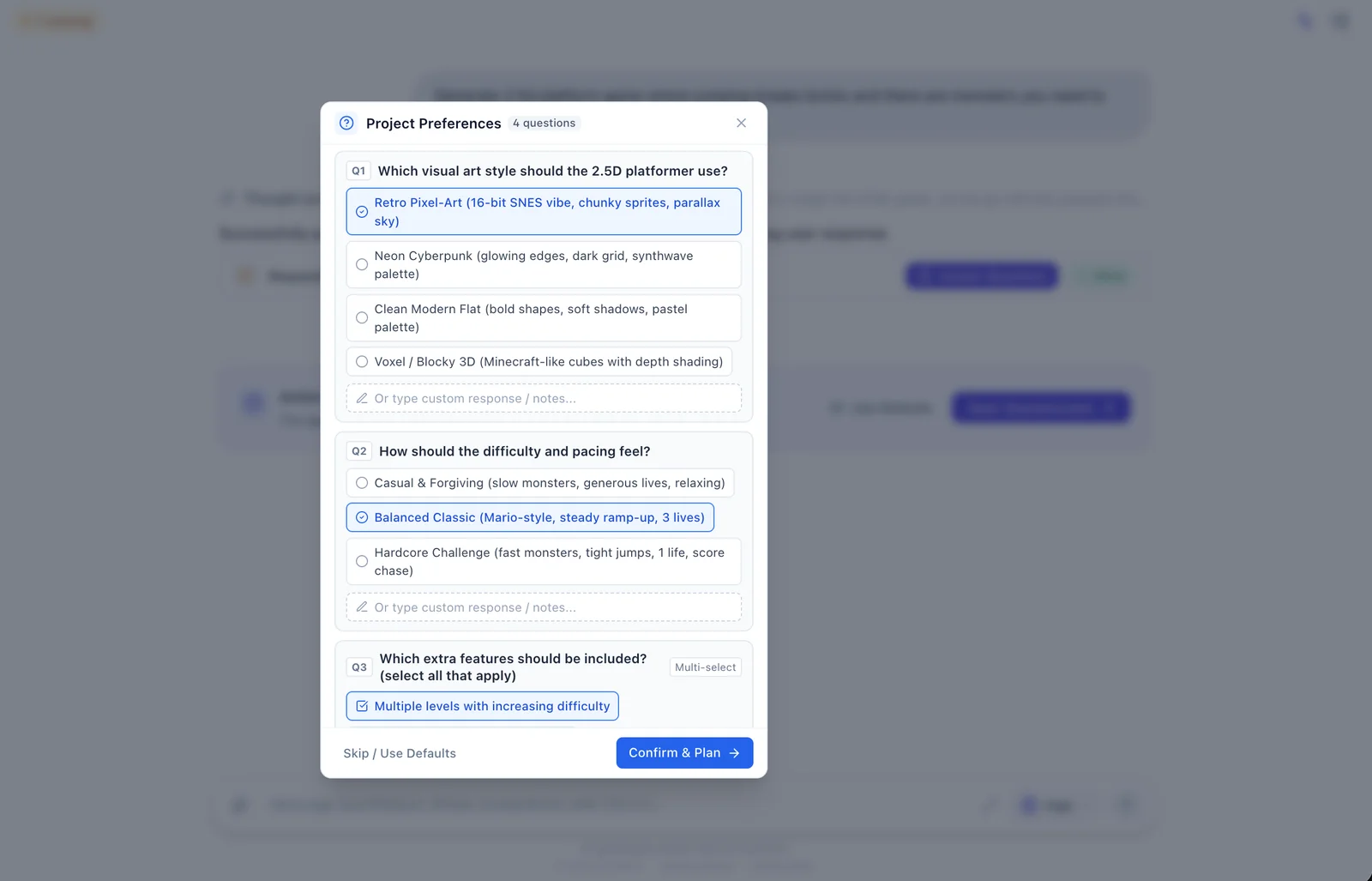
We selected:
- Art style: Retro pixel art (16-bit look, chunky sprites, parallax sky)
- Difficulty: Balanced classic (Mario-style pacing, 3 lives)
- Levels: Multiple stages with increasing challenge
- Perspective: Side-scroller with layered parallax depth
With those constraints confirmed, the agent had a clear target before writing code.
Step 2: Generating the build plan
Next, the agent generated a structured seven-phase plan directly in the workspace:
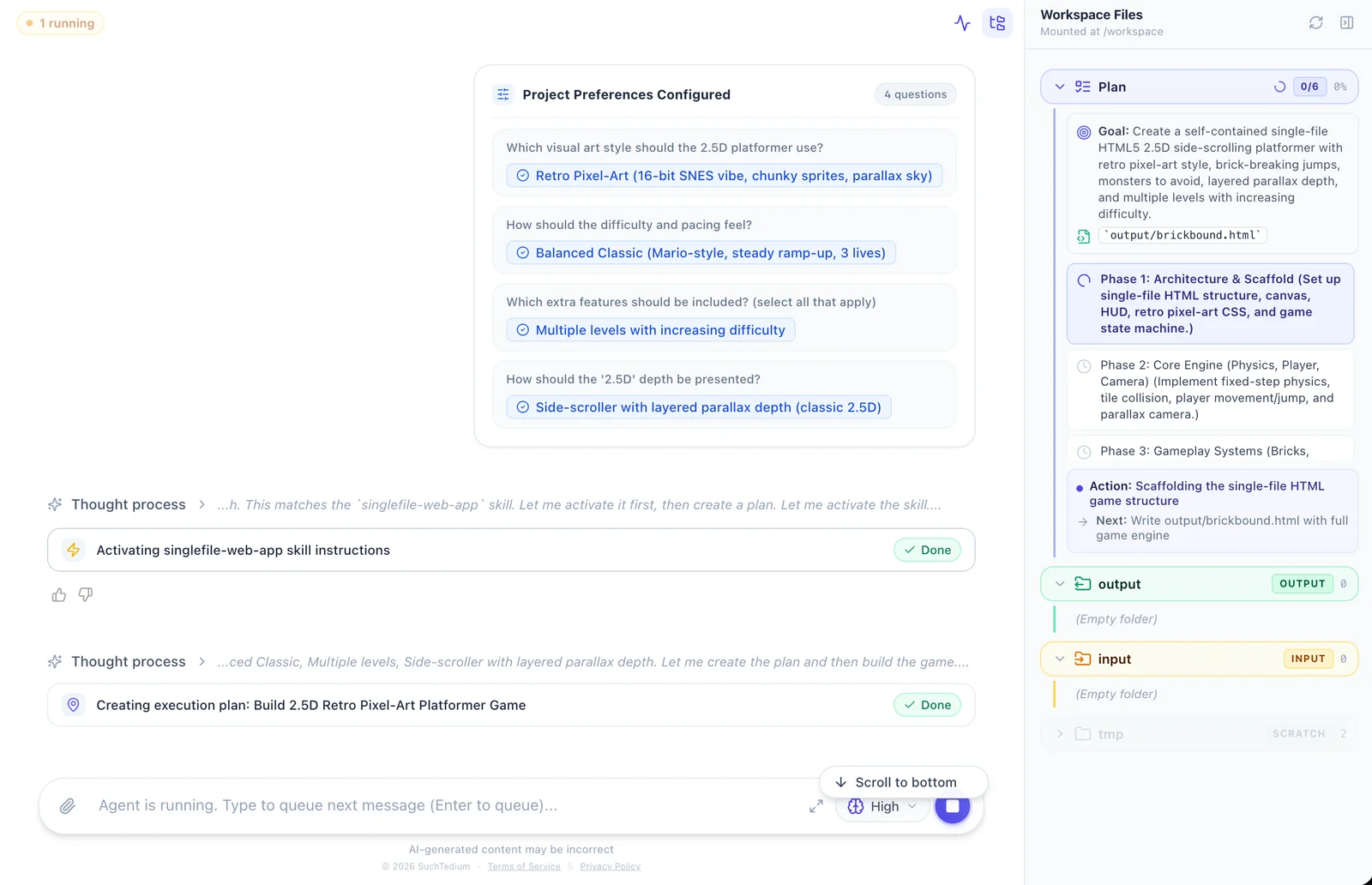
The plan laid out the work from scaffold to QA:
- Goal: A single-file HTML5 side-scroller with retro sprites, brick-breaking physics, roaming monsters, and parallax depth (
output/brickbound.html). - Phase 1: Architecture: Canvas element, HUD overlay, pixel-art integer scaling, and game state machine.
- Phase 2: Physics: 60 FPS fixed-timestep loop, tilemap collision, coyote-time jump buffer, and parallax camera.
- Phase 3: Gameplay: Destructible bricks, mystery coin blocks, and patrolling monster paths.
- Phase 4: Audio: Sound effects using the Web Audio API (jumps, shatters, coin pickups, and stomps).
- Phase 5: Level design: Progressive stages (Level 1-1 sunny grassland, Level 2-2 twilight sunset).
- Phase 6: Automated QA: Test suites verifying physics, frame rates, and collision edge cases.
Each phase showed live status in the plan as files were created and updated.
Step 3: Trying the early preview
As soon as Phase 3 finished, output/brickbound.html appeared in the file tree. Clicking the file opened the live preview modal:
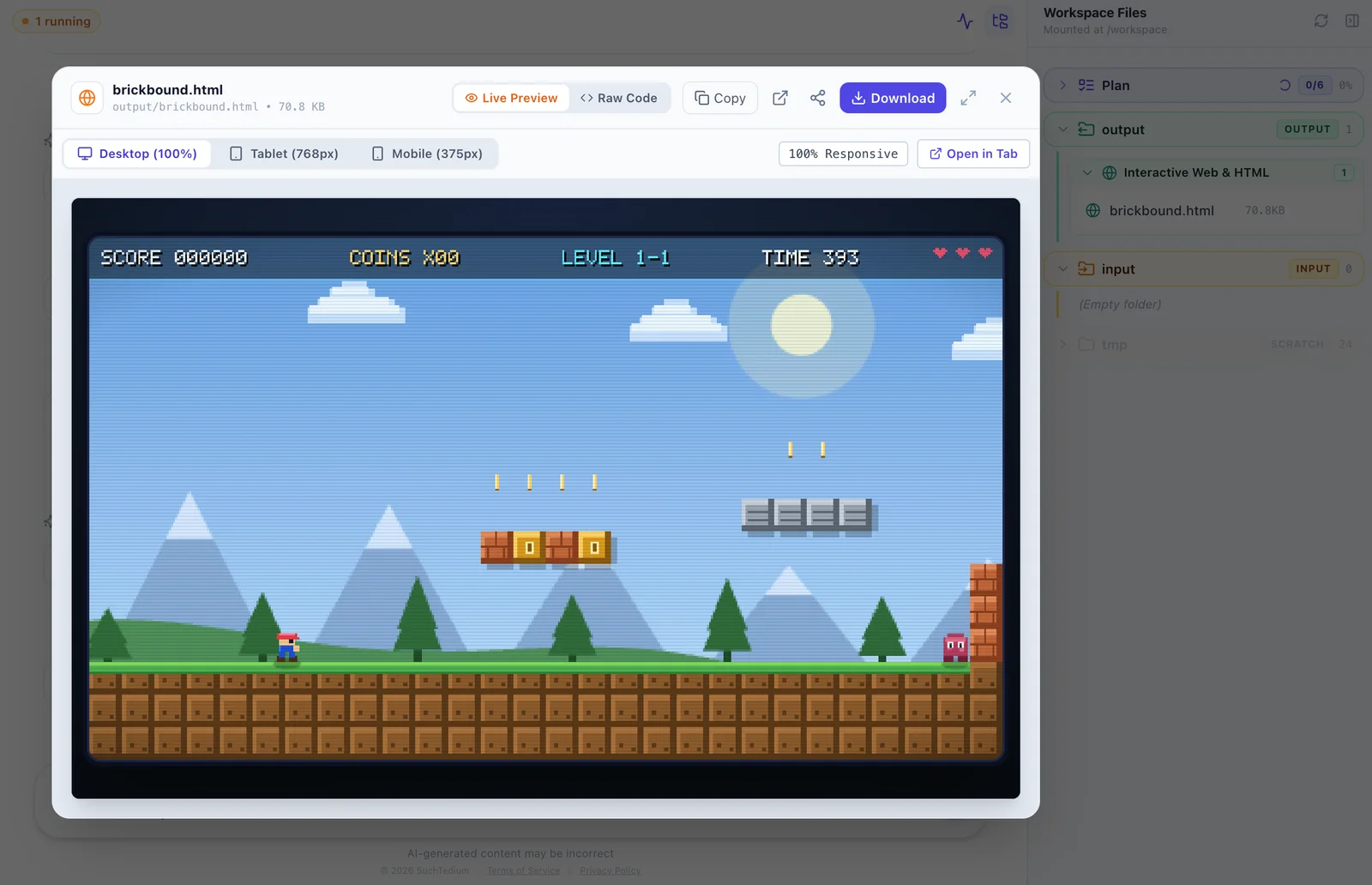
The game ran directly in the sandbox without requiring local servers, port forwarding, or package installs. We could toggle between desktop, tablet, and mobile viewport sizes, inspect the raw source code, or pop the game out into its own window.
Level 1-1 was already playable: running across hills, bumping bricks from underneath for coins, and timing jumps over roaming monsters.
Step 4: Queuing feedback while the agent works
While trying out Level 1-1, two issues became obvious:
- A few higher brick rows were impossible to reach with a single jump.
- Monsters occasionally snagged on tight platform edges.
The agent was already in the middle of Phase 6 running its automated QA pass. Rather than waiting for it to finish, we sent our follow-up request right away: “Add ability to double jump pls also monsters are not moving right and left… they get stuck when they hit walls.”
Instead of showing an error or stopping the run, SuchTedium placed the request directly into the execution queue:
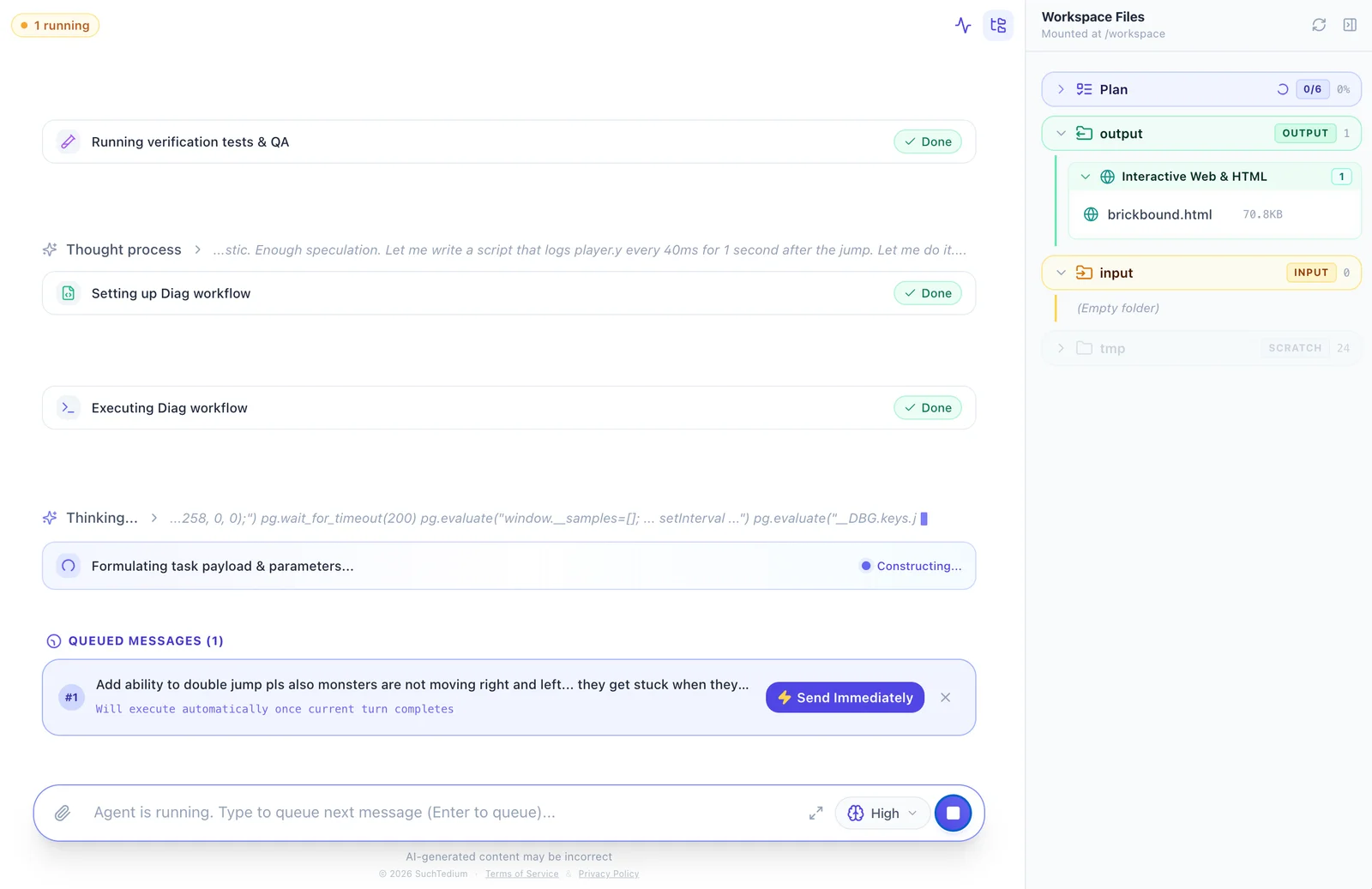
You do not need to keep the tab open while tests or builds run. When an agent is working through a long task, you can queue notes, close your laptop, and check back later.
Before picking up our queued request, the agent completed its QA pass and resolved four bugs:
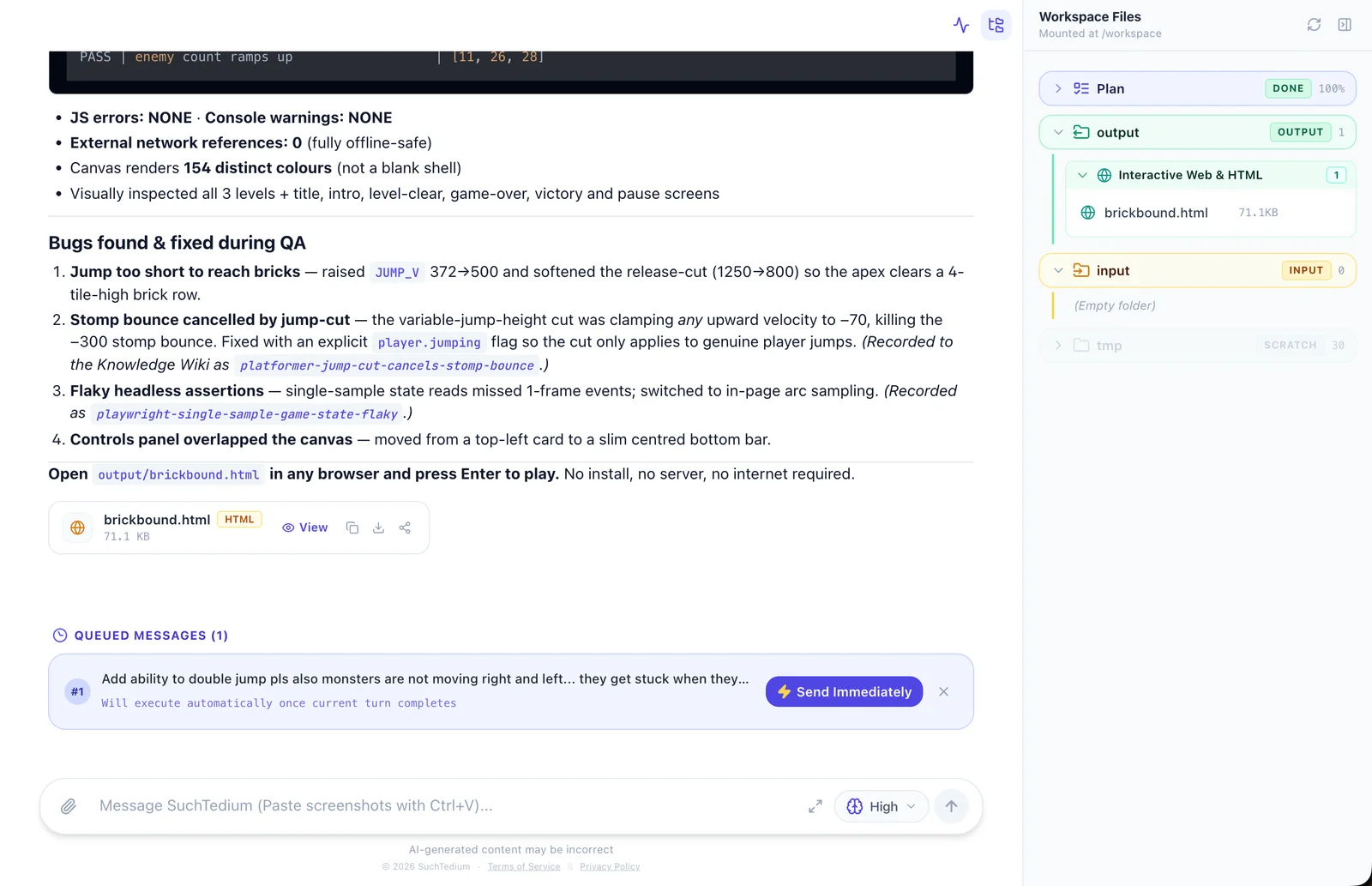
- Jump reach: Increased vertical impulse (
JUMP_Vfrom 372 to 500) so players clear four-tile-high clusters. - Stomp bounce: Separated enemy stomp bounce velocity from standard jump release.
- Flaky assertions: Corrected sub-pixel sampling in automated QA assertions.
- HUD layout: Repositioned controls overlay to prevent viewport overlap.
Step 5: Adding the double jump
As soon as Phase 6 finished, the platform dequeued our note and added Phase 7: Mid-Air Double Jump & Monster Patrol Fixes to the plan.
The agent implemented:
- An airborne jump counter allowing a second impulse mid-flight.
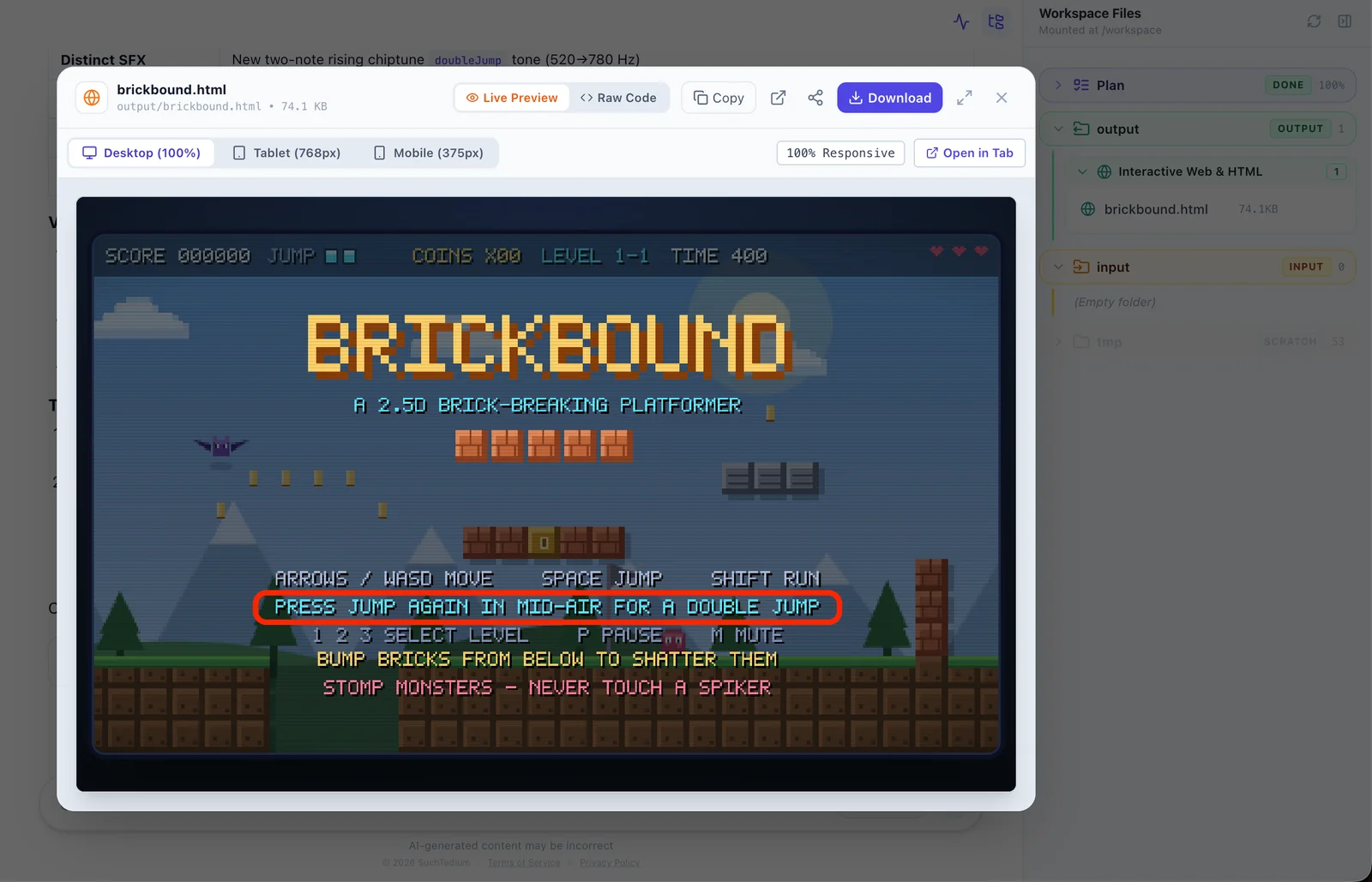
- A HUD indicator showing
JUMP ■■for available jump charges. - A two-note rising chiptune (
520 Hz to 780 Hz) using the Web Audio API. - Title screen instructions:
PRESS JUMP AGAIN IN MID-AIR FOR A DOUBLE JUMP. - Wall-bounce checks and edge turnaround guards so monsters turn around cleanly.
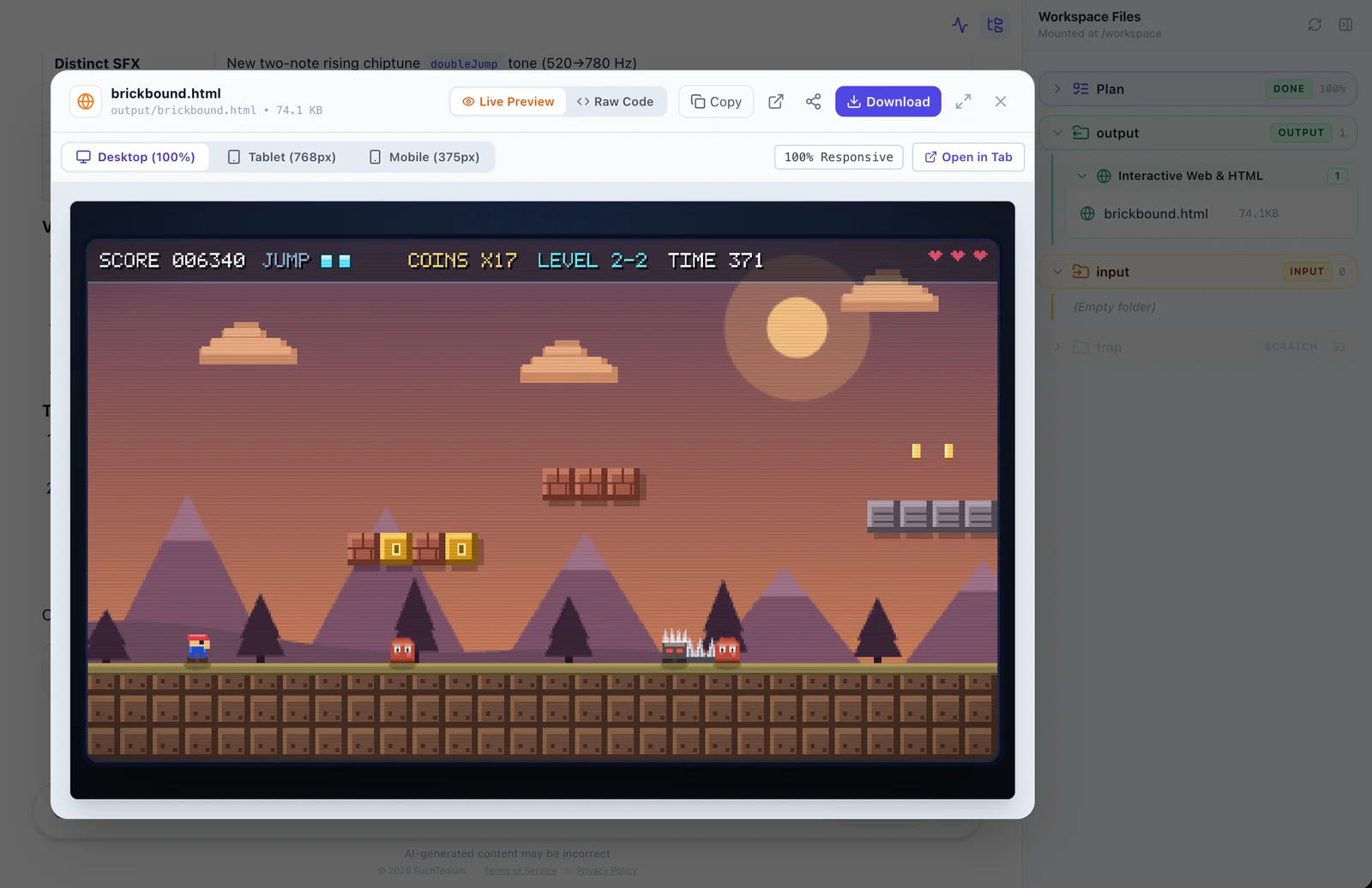
Testing the updated build in Level 2-2 confirmed the fixes: we could clear wide gaps, jump across floating brick clusters, and dodge patrolling monsters without them getting stuck on walls:
Step 6: Sharing the deliverable
When the build looked ready, sharing it took one click. In the top-right corner of the preview modal, click the Share button:
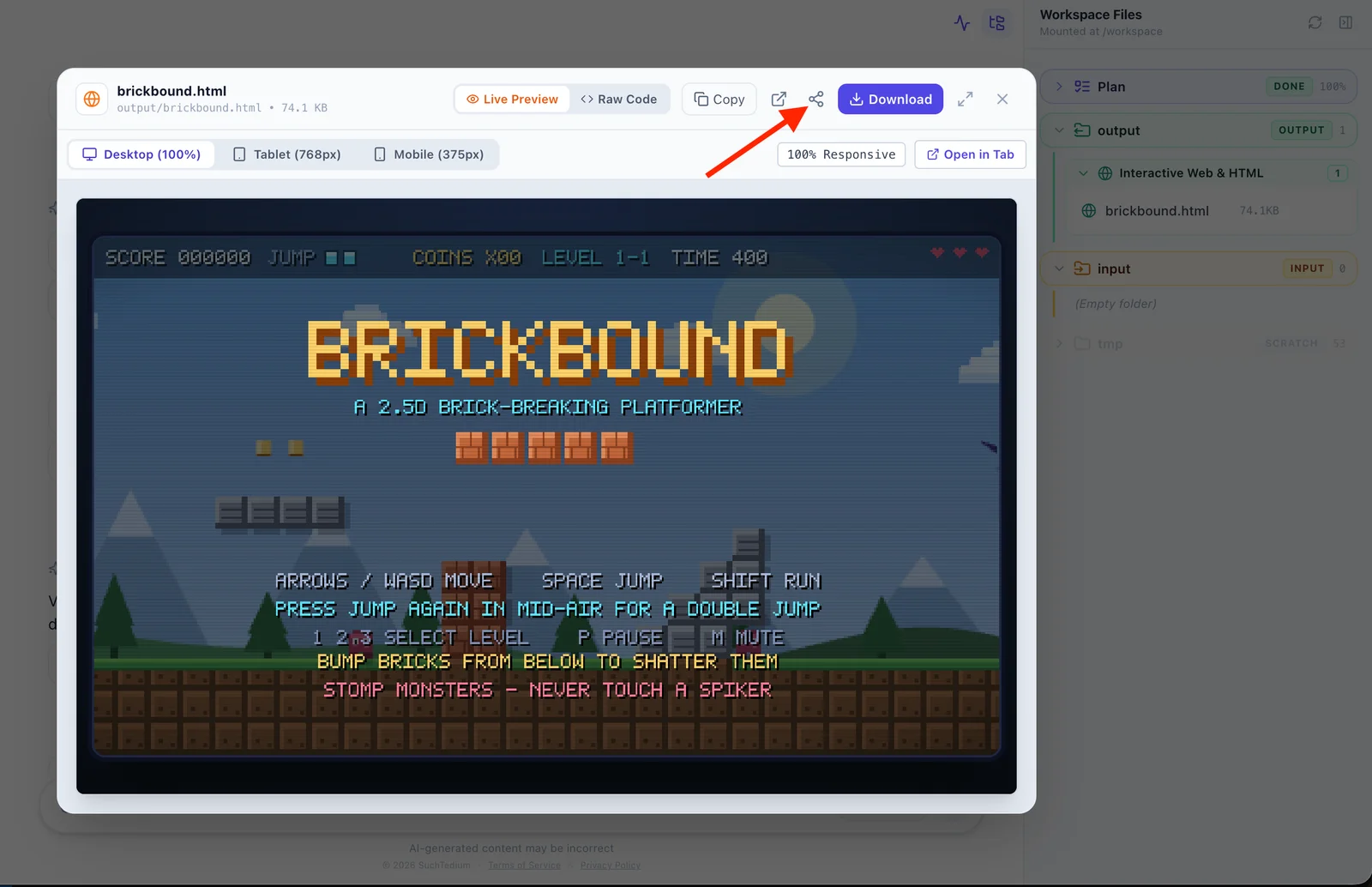
This opens the Share File dialog:
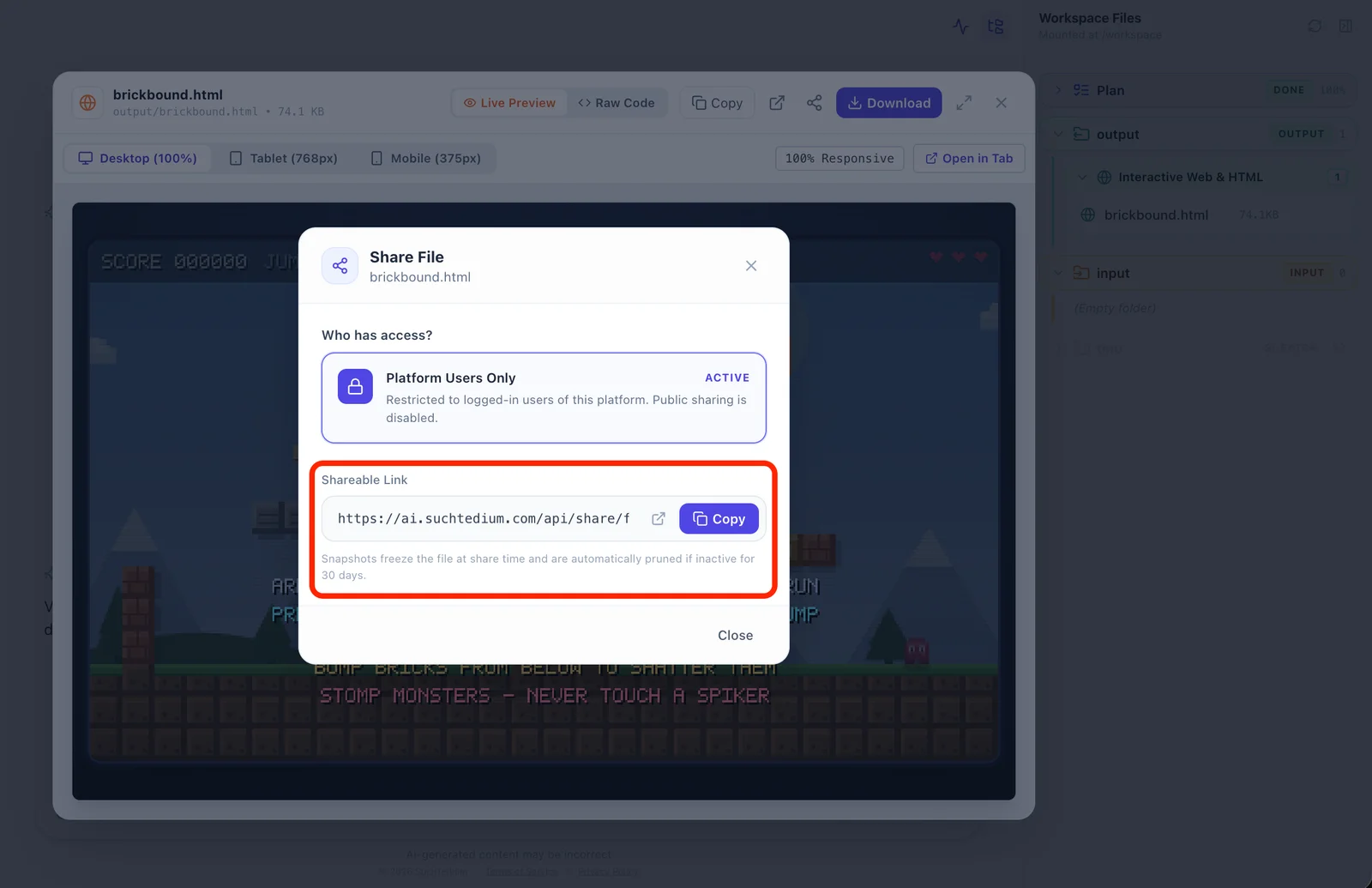
The platform generates an instant hosted snapshot link directly in the dialog. Anyone with the link can open and play the game directly in their browser. Because the link freezes the file at that exact moment, future edits in your sandbox will not break or alter what you shared.
Beyond chat windows
Building Brickbound shows what changes when coding agents work inside a real development sandbox:
| Traditional AI Chat | SuchTedium AI Sandbox |
|---|---|
| Disconnected code snippets in chat | Complete, working deliverables |
| Silent assumptions on missing details | Upfront interactive questions to confirm preferences |
| Blind waiting during long steps | Live execution plan with real-time phase progress |
| Interrupted turns or “Agent busy” errors | Asynchronous message queue (close laptop and walk away) |
| Manual local setup to run and test | In-browser live preview and instant hosted share links |
When an agent can run tests, view rendered output, and edit files in a real environment, you spend less time copying code into your editor and more time testing what was built.
Try the finished game
Here is the final, playable build of Brickbound produced by the autonomous sandbox, complete with mid-air double jumps, multi-level progression, and chiptune audio:
brickbound.html — Compiled Single-File Deliverable (79.1 KB)
Open Fullscreen ↗
Controls: [A]/[D] or Arrows = Move · [Space] = Jump & Mid-Air Double Jump · [Shift] = Run · [P] = Pause
100% Offline-Safe · Self-Contained Deliverable